Cut your PC energy costs by up to 40% without changing how you work
Simple to Deploy, Easy to Manage
Acquaintia integrates with your existing infrastructure. No hardware to install, no network changes required. Start seeing results within days.
Cut your PC energy costs by up to 40% without changing how you work
Acquaintia integrates with your existing infrastructure. No hardware to install, no network changes required. Start seeing results within days.
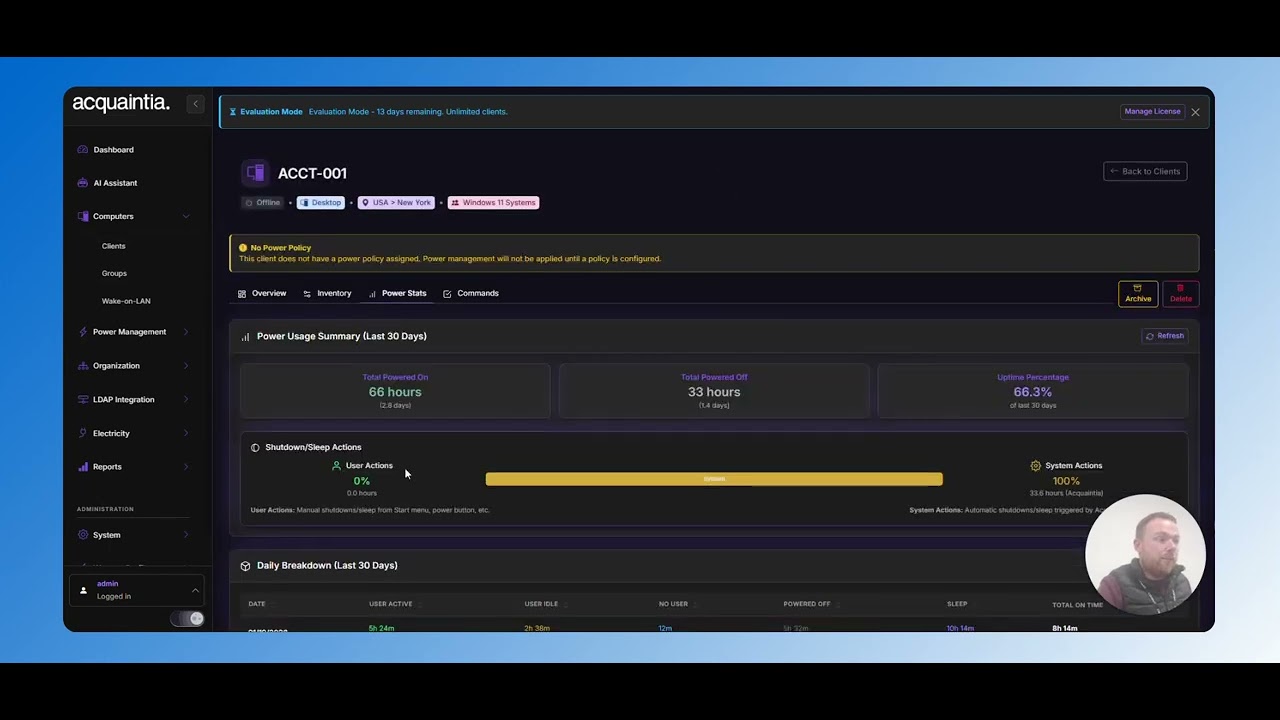
Deploying Acquaintia is a quick and simple process so you can start to manage your PC power costs and usage in a matter of hours.
Install the lightweight Acquaintia agent on your computers. Deploy via Group Policy, SCCM, or install manually in just minutes per machine.
Create power policies that match your business needs. Set different rules for different departments, locations, or computer types.
Monitor your energy reduction in real-time. Generate reports showing cost savings, KWH reduction, and carbon footprint impact.

No data leaves your network. The agent communicates only with your on-premises server. Full audit trail for compliance.

From 100 PCs to 100,000. The architecture handles large estates without performance degradation. No additional infrastructure required as you grow.

Import your existing Active Directory structure. Manage power policies by OU, security group, or custom criteria. Changes sync automatically.

The agent uses less than 1% CPU and under 50MB RAM. Users won’t notice it’s running. No impact on PC performance or user experience
Optional notifications warn users before sleep actions. Users can defer if needed. Configurable messages and timing per policy.
Command-line tools for scripting. REST API for integration. Event logs for monitoring. Built by IT professionals for IT professionals.
Deploy via Group Policy for seamless Active Directory integration. The MSI installer supports all standard GPO deployment features.
Use Microsoft Endpoint Manager for deployment. Full support for SCCM task sequences and Intune app deployment.
Download the installer and deploy manually or via PowerShell script. Ideal for testing or smaller deployments.
See Acquaintia in action with a personalised demo for your organisation.
From initial deployment to measurable savings, Acquaintia makes the journey straightforward.
Install the lightweight Acquaintia agent on your Windows PCs using your existing deployment tools – GPO, SCCM, Intune, or manual installation. The agent is under 5MB and has minimal system impact.
Acquaintia automatically discovers and inventories all managed PCs. See your entire estate organised by location, department, or AD structure – no manual configuration needed.
Set power management policies that match your working patterns. Different policies for different locations, departments, or user groups. Our templates make configuration quick.
Track energy savings in real-time. Generate reports showing kWh saved, cost reduction, and carbon impact. Demonstrate ROI to stakeholders with hard data.
Acquaintia supports Windows 10 and Windows 11 (all editions). The server component runs on Windows Server 2016, 2019, or 2022.
Yes. The agent works on any PC that can reach the Acquaintia server. For remote workers on VPN, policies apply when connected. Location-aware policies can apply different rules based on network location.
Yes. Exclusions can be configured by machine name, AD group, OU, or custom criteria. Common exclusions include servers, kiosks, and machines running long-duration tasks.
Acquaintia can send Wake-on-LAN magic packets to wake sleeping PCs for maintenance windows. This requires WoL to be enabled in BIOS and the network to support WoL broadcasts. We provide guidance on configuration.
Acquaintia collects power state data (on, off, sleep, hibernate), basic system information (computer name, OS version), and policy compliance status. No user data, files, or activity is collected. All data stays on your network.