Automate your PC sleep and wake policies. Without a single helpdesk ticket.

Power management that runs itself

Your PCs sleep when no-one’s using them. They wake before your team arrives. Updates land overnight. And nobody calls the helpdesk. Acquaintia handles your power policies so you never have to chase shutdowns again.
Video thumbnail

40% Average Energy Reduction

100,000+ Computers Managed

200+ Enterprise Features

Manual power management doesn’t work

You’ve sent the “please shut down your PC before you leave” emails. But nothing happened.

People forget. They work late. They hot-desk. Thousands of PCs run 24/7, burning energy, missing patch windows, costing you money nobody is tracking.

You’ve tried sleep policies before. But they fail because computers sleep at critical times.

Meanwhile, patch compliance drifts. Monthly security reports show endpoints lagging. And you have to explain why machines missed the window.

You don’t need manual actions. You need automation that works while being invisible.

PRODUCT DEMO • PRODUCT DEMO • TRY NOW •

Click For An Interactive Demo

Feature Highlights

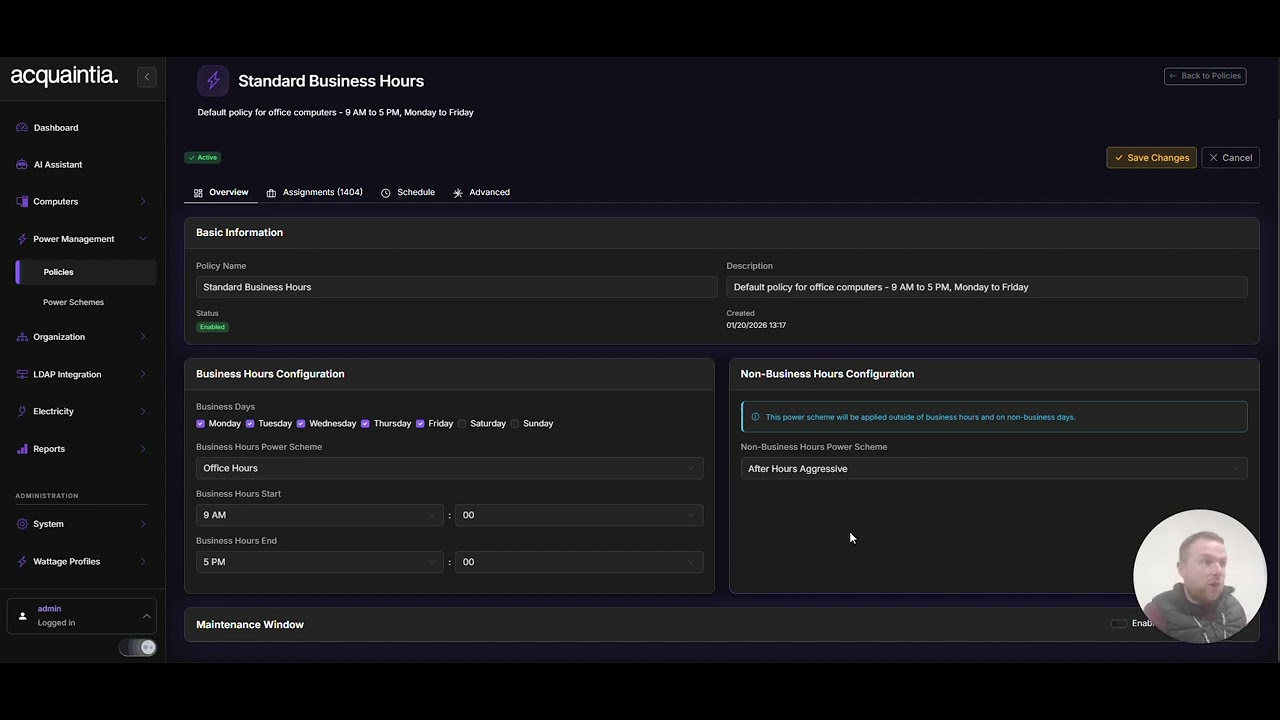
Business hour scheduling

Define working hours per location (weekdays, weekends, bank holidays). Your PCs sleep outside those hours and wake before staff arrive. No manual shutdowns. No exceptions getting out of control.

Auto-wake technology for patching

Wake machines overnight for Windows updates. Patches happen when your building is empty. Devices return to sleep when they’re done. Your compliance numbers stay on track.

Presentation mode detection

Acquaintia detects when a presentation or video call is running and prevents sleep. No more interruptions during important meetings.

Exception handling

Exclude servers, kiosks, clinical workstations and overnight batch machines. Define exceptions that make sense for your organisation.

Cover your costs

Cover the costs of deploying Acquaintia under Salix funding schemes. Talk to us about eligibility and how apply.

Automate your power management in three easy steps

Step 1

Deploy The Agent

Install the lightweight Acquaintia agent on your computers. Deploy via Group Policy, SCCM, or install manually in just minutes per machine.

Step 2

Configure Policies

Create power policies that match your business needs. Set different rules for different departments, locations, or computer types.

Step 3

Track Your Savings

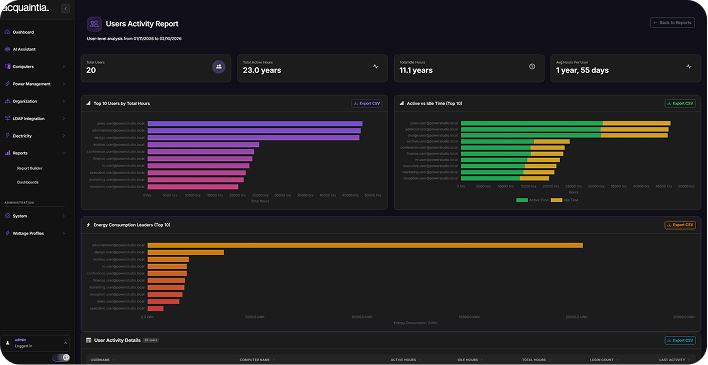
Monitor your energy reduction in real-time. Generate reports showing cost savings, KWH reduction, and carbon footprint impact.

Built for teams across sectors

Central government

Your department runs thousands of endpoints across multiple buildings. Some teams work shifts. Some run overnight batch jobs and BI refreshes. Acquaintia lets you set site-level policies with department-level exceptions.

Local government

Your IT estate spans dozens of buildings with different opening hours. Acquaintia handles multi-site complexity with oversimplifying your policies.

NHS & Healthcare

Clinical kiosks can stay on. Admin PCs follow business hours. Overnight data transfers and encryption scans get a wake window. All while you protect patient-facing operations and automate everything else.

See how much you could save with automated power management

Enter the number of PCs across your estate. See your estimated energy savings and cost reduction based on real idle-time data.

  • Annual Energy Savings (KWH)
  • Annual cost reduction (£)
  • Carbon footprint reduction (kg CO2)
  • Payback period

Get ready to automate your power policies

See Acquaintia in action with a demonstration tailored to your estate, your sites and your patching schedule.